
If you using Microsoft Office 2016 or 2019, you might see the error below. For me it annoyed me and always get me frustrated because I always dealing with open the Word document frequently. The error about it failed to open the file. There are some variations of this error message that you might see. Examples of these variant error messages are “Do you want to replace the existing Normal.dotm” or “Changes have been made that affect the global template. Do you want to save those changes?”
The reason of this error is because Microsoft word failed to open the normal template of the blank document.

Solution for this is by Deleting the file of the Normal.dotm. Below is the step to do so.
- Open Finder
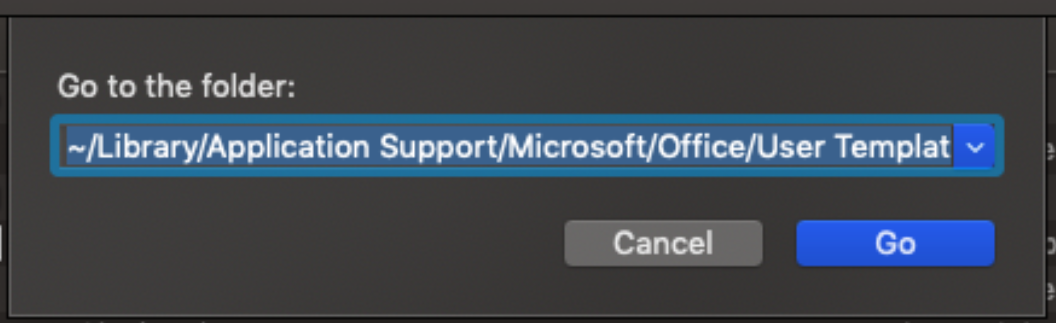
- Press (Command + Shift + G)
- Paste the following directory path to Go to The Folder
- ~/Library/Application Support/Microsoft/Office/User Templates/
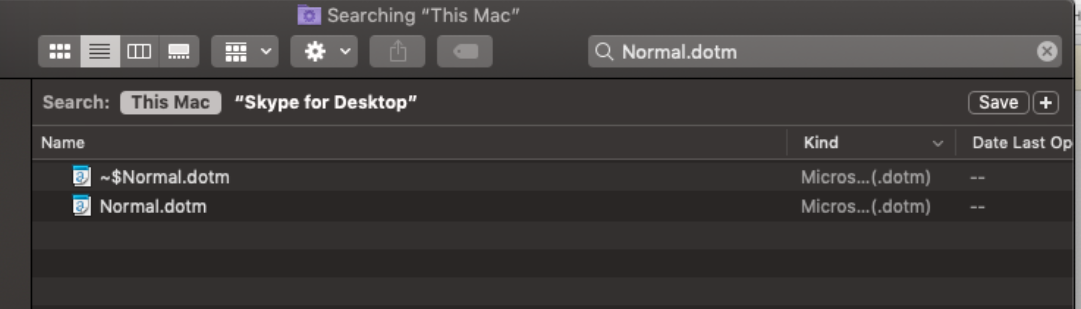
- Search file “Normal.dotm” on search bar and delete both file that
- After that you can open the Microsoft word without any error anymore.
Thank you!
 DZEROTECH